CLI Commands
Engin provides a set of CLI commands to aid with application development. To use these commands,
you need to install Engin with the cli extra, which can safely be treated as a
development only dependency.
Tip
It is recommended to configure a default instance in your pyproject.toml.
When configured, you can run any CLI command without the app argument:
Commands
engin check: checks for missing providers.engin inspect: show metadata about providers.engin graph: visualise your dependency graph.
engin check
Checks that all dependencies in your Engin instance are satisfied.
If there are any missing providers it will return with exit code 1.
Note, this command only validates there are providers for all dependencies required by invocations, any dependencies built dynamically at runtime via the Assembler will not be checked for as these cannot be statically analysed.
Usage
Options
--app: the path to your application in the format<module>:<attribute>, e.g.myapp.main:engin. Not required if you set adefault-instancein yourpyproject.toml.
Example
engin inspect
Shows detailed metadata for providers in your Engin instance. You can filter providers by type or module.
Usage
Options
--app: the path to your application in the format<module>:<attribute>, e.g.myapp.main:engin. Not required if you set adefault-instancein yourpyproject.toml.--type: filter providers by return type name. Note that multiproviders take the form oftype[].--module: filter providers by the return type's module.--verbose: enable verbose output.
Example
Found 1 matching provider
┌─────────────────────────────────────────────────────────────────────────┐
│ name           │ Provide(factory=httpx_client, type=AsyncClient)  │
│ scope          │ N/A                                              │
│ func           │ httpx_client                                     │
│ block          │ N/A                                              │
│ source module  │ myapp.main                                       │
│ source package │ myapp                                            │
└─────────────────────────────────────────────────────────────────────────┘
engin graph
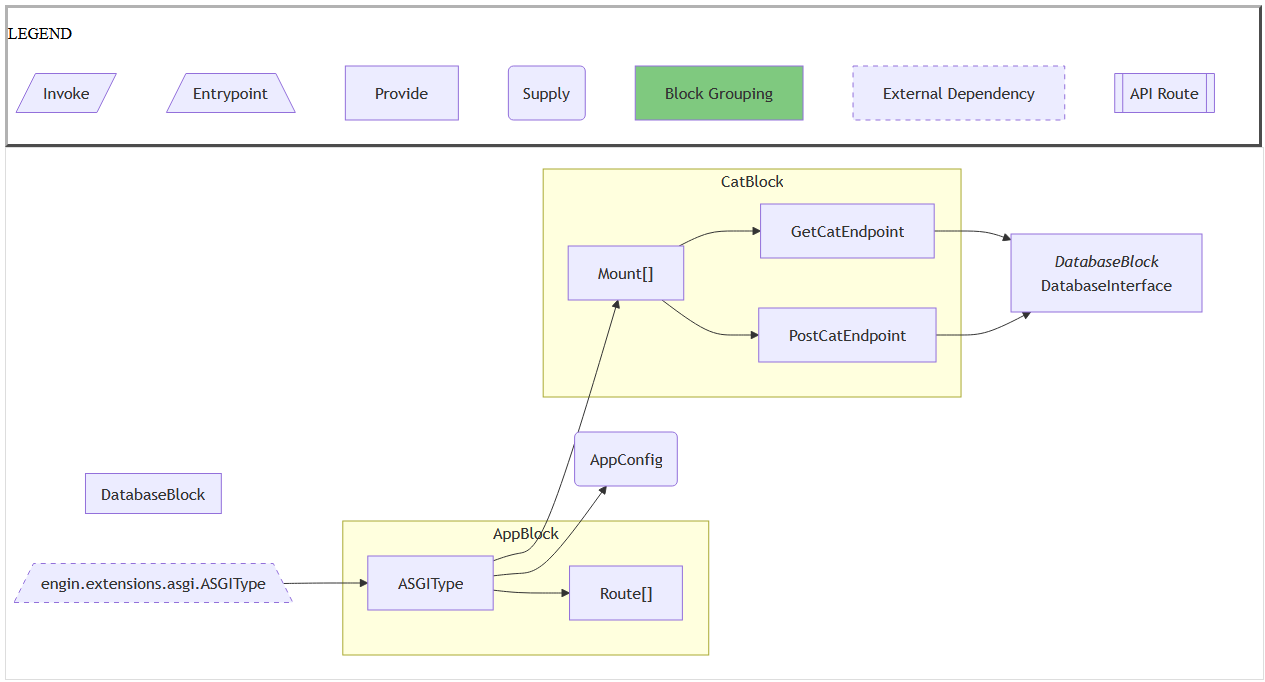
Creates a visual representation of your application's dependency graph.
This starts a local web server which displays an interactive graph of your dependencies.
Usage
Options
--app: the path to your application in the format<module>:<attribute>, e.g.myapp.main:engin. Not required if you set adefault-instancein yourpyproject.toml.--portor-p: the port for the local web server to serve the graph on.